A deep dive into datacenter technologies like virtualization, automation, backup, and networking – bridging the gap between enterprise-grade solutions and practical implementations for SMBs and/or home labs.
Now that the infrastructure is ready, it’s time to add a backup source. That´s why the next logical step is adding an ESX or vCenter to VBR. Since my VMware homelab is currently undergoing major restructuring, I only have a single ESX server running a few VMs. We’re now backing these up regularly using Veeam Veeam VBR.
It doesn’t matter whether the source is a complete vCenter or just a single ESX server, the procedure is 100% the same.
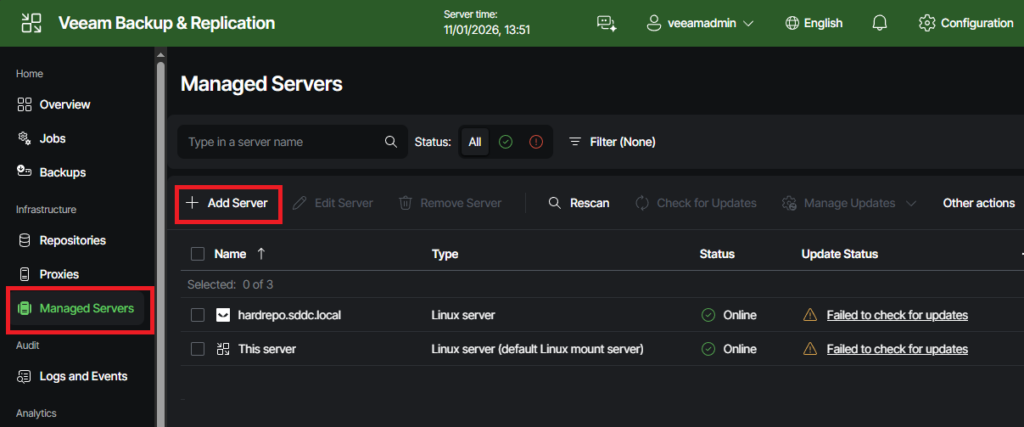
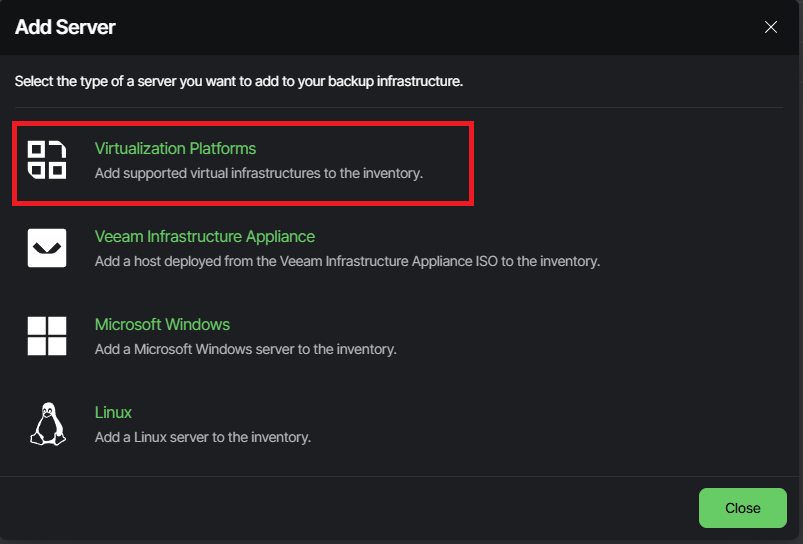
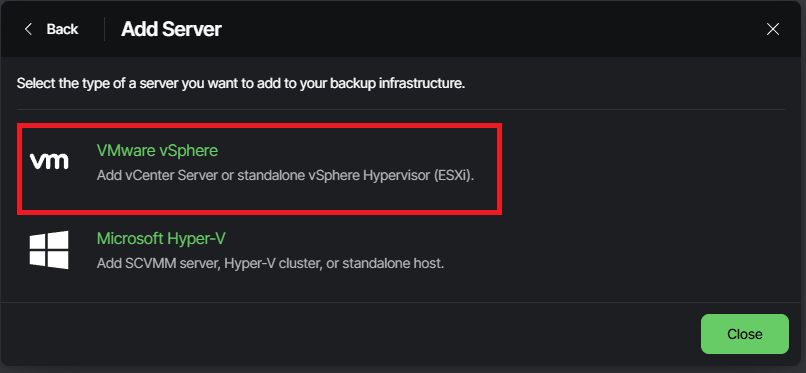
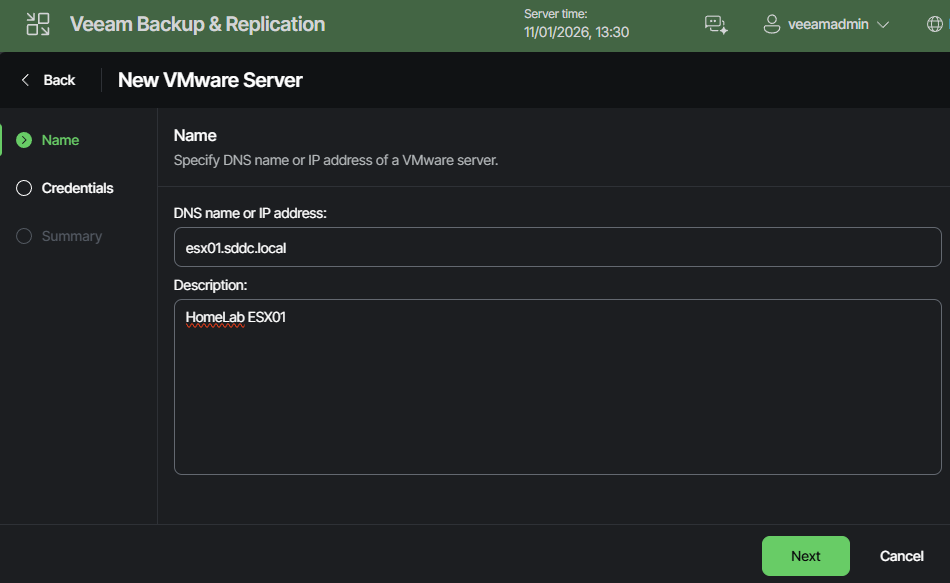
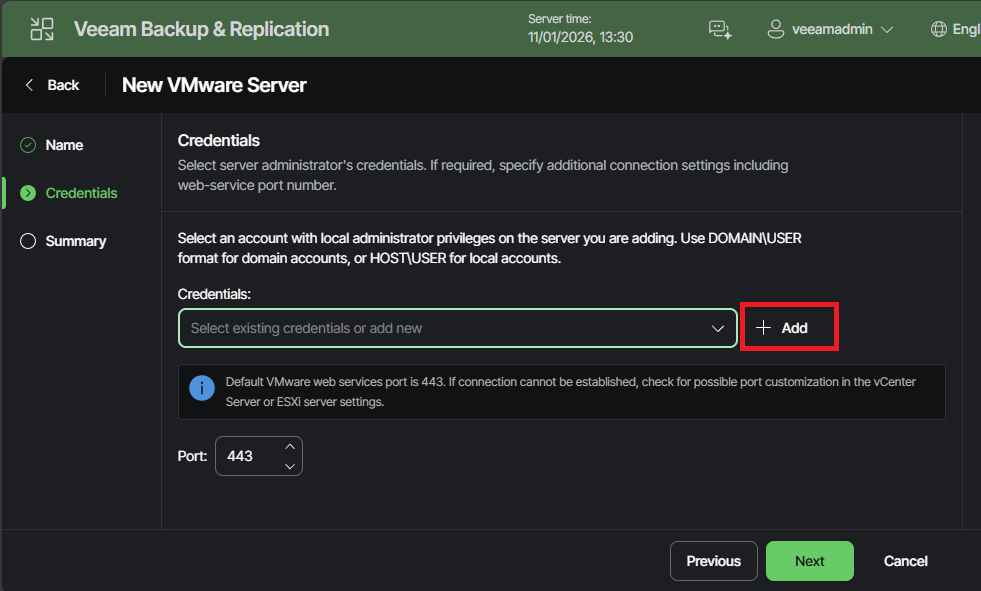
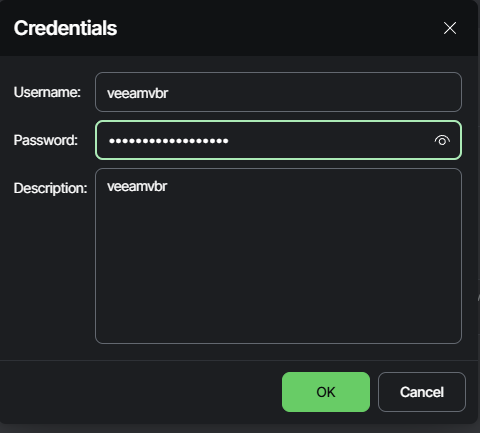
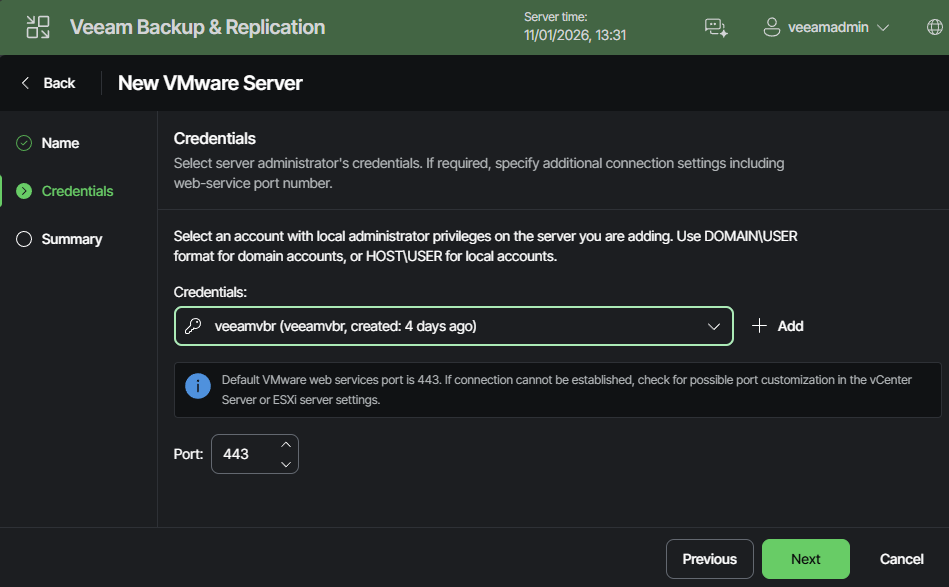
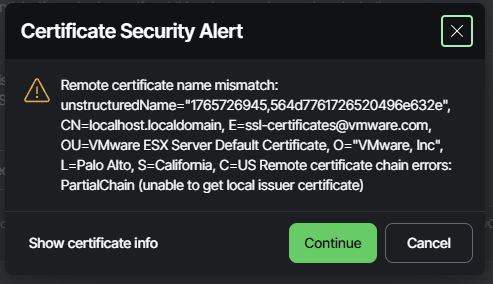
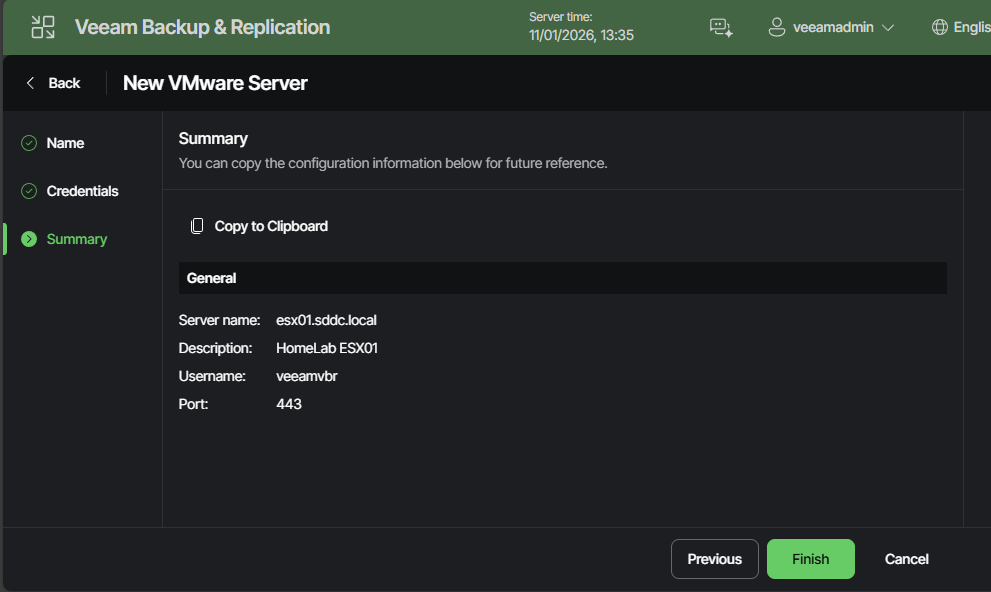
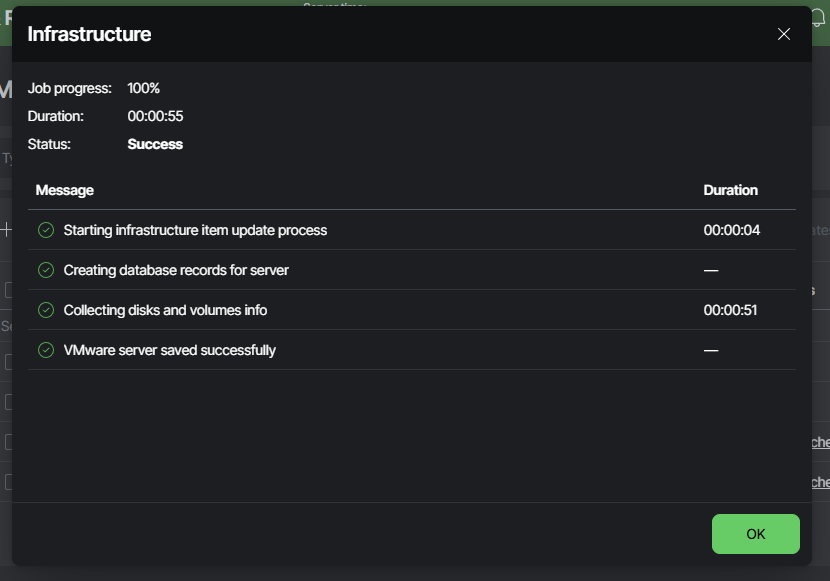
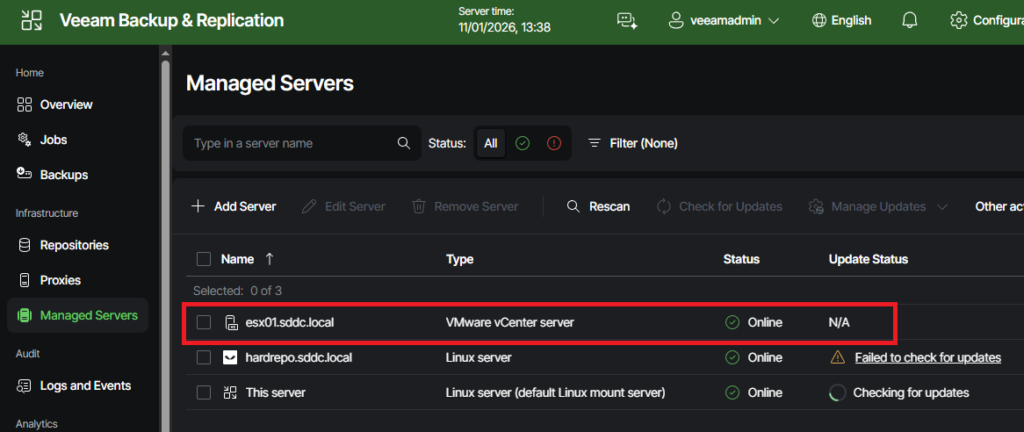
Head to “Managed Servers” on the main menu and then click on “Add Server”.As the source system is a hypervisor, “Virtualization Platforms” is the right choice.Then select “VMware vSphere”.Enter the hostname or IP address of the source system, in my case it´s the FQDN of my standalone ESXi host. If you want you can also set a description. When done, continue with “Next”.You’ll need the credentials for the source system. If you’ve followed the guide so far, you should have a blank dropdown list, like I do. I clicked on “Add” to enter a new username and password.Enter username and password of the source system and confirm with “OK”.Now you can select the new credentials from the dropdown list and continue with “Next”.My ESXi only has a self-signed certificate, which means I have to confirm that I want to accept it.As with most operations, there is a summary to review. If everything is OK, you can complete the process by clicking “Finish.”The configuration job will now start, and you will be able to see whether the operation can be completed successfully. If, for example, you made a mistake when entering your credentials, you would see it here if the process fails.Everything worked out, and you can find the new source system in the list of managed servers.
That’s it for this post, all steps for adding an ESX or vCenter to VBR are done. In the next one, I’ll show you how to set up a backup job to actually back up the VMs.

Leave a Reply